Serverless Data Pipeline — Lambda, S3, Athena & Metabase

Client
Confidential

Industry
Analytics

Service
Data Pipeline & Reporting

Engagement
Build & Deploy
Overview
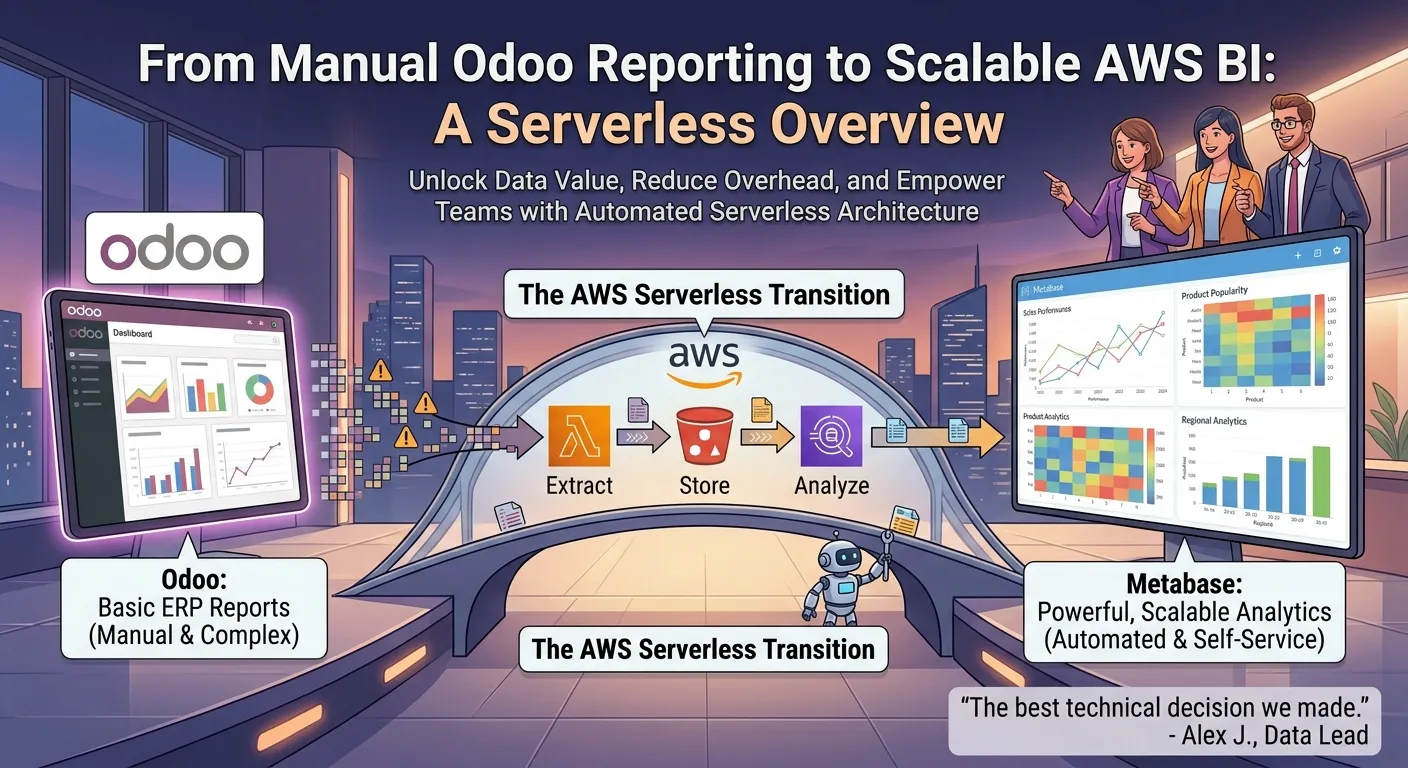
Odoo ERP has limited data correlation and analytics, specially if the tables have a lot of registries. The business needs lean towards analyze data to take smart decisions and automate some processes of reporting.
What I Did
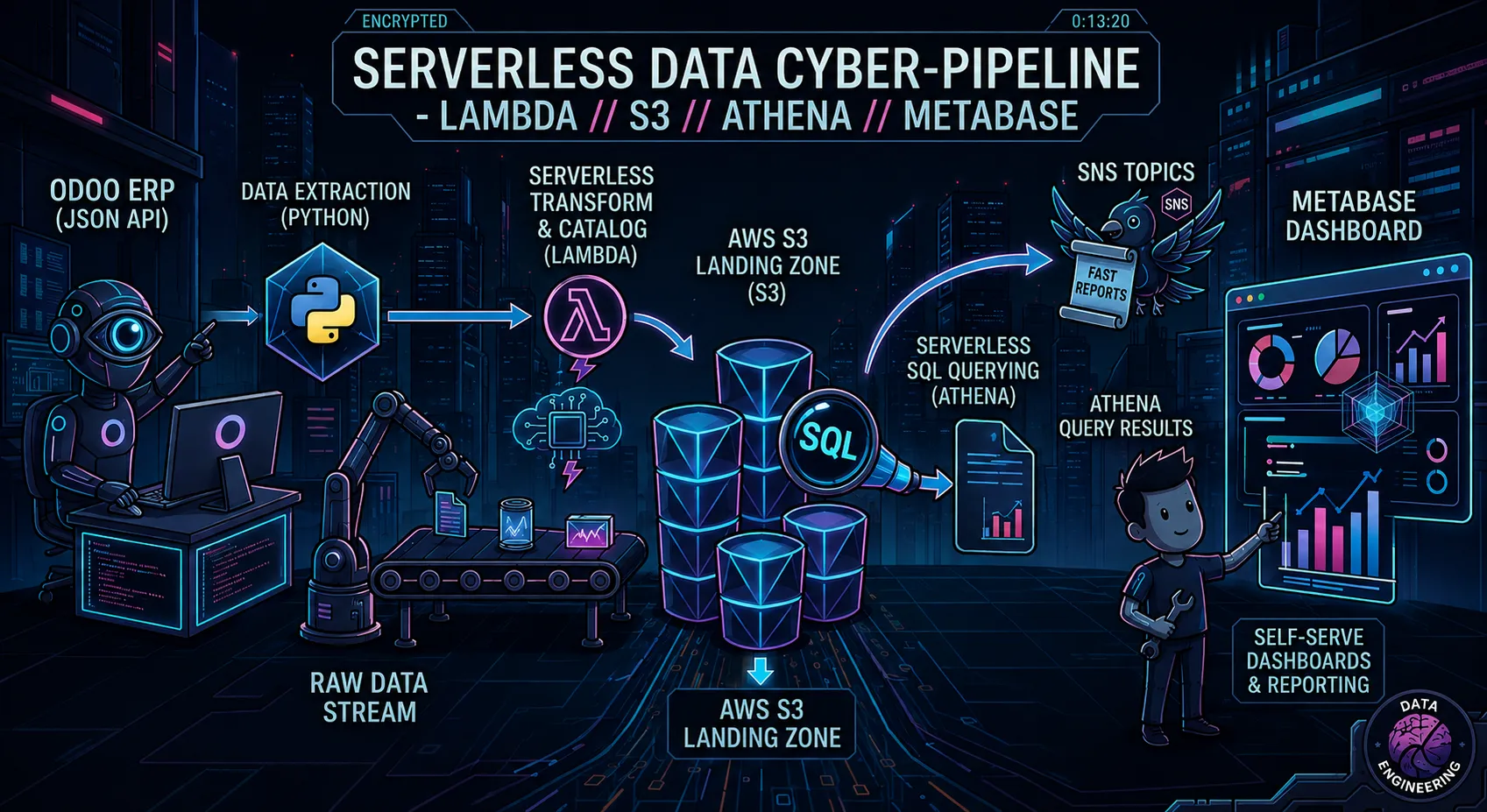
Built an serverless data pipeline from raw data to dashboard.
- Build a python module for extracting data from Odoo
- Lambda functions to transform and catalog data for querying
- S3 as the landing zone for data
- Athena for serverless SQL querying directly against S3 data
- SNS topics to send fast reports
- Connected Metabase for self-serve dashboards and reporting on top of Athena

Deep Dive
Context
Odoo is a strong ERP with a lot of features for running a business, but when it comes to analyzing data, it falls short on power and flexibility. You could argue this isn’t fair — Odoo has a modular ecosystem with plenty of community-built extensions that add reporting capabilities. But in practice, installing those modules is often too complex for non-technical staff, and even if you get past that, someone still has to maintain them. That’s a heavy burden when the tech team is small or already stretched thin — which is exactly the situation I was in.
Odoo does offer a JSON API that’s quite capable for extracting raw data, though. I started experimenting with it, writing Python scripts to pull billing and sales data and turn it into simple reports. After a few successful trials, it was clear these reports could bring real value to the business, so I focused first on generating something useful for the sales team.
Development
Basic reporting
I needed somewhere to run short scripts automatically, with as little ongoing maintenance as possible — a Lambda function was a natural fit. I built a basic Lambda running the Python script, using Parameter Store to manage the API key securely.

Expand the system
I figured that if this first report proved useful, the whole approach would need to scale. So I wrote a Terraform module that wires up a Lambda function, an SNS topic, and an EventBridge Scheduler event — a repeatable template rather than a one-off script. From there, I replicated the workflow across different Odoo tables where I saw business value: pending quotations, sales analysis, and others.

After building several of these workflows and refining them with feedback from the sales team, two things became clear. First, there’s a limit to how many report emails people will tolerate before they start ignoring them — email doesn’t scale as a delivery mechanism. Second, what the business actually needed was a central place to explore the data, not just receive it passively.
Final platform
Looking for a tool to solve that, I found Metabase, which checked every box I had:
- Presents data in an easy-to-digest way
- Enables self-service dashboards and data correlation
- Offers a flexible way to query the data directly
- Has a free, self-hosted version
Metabase deploys as a container, so I ran it on the ECS cluster I’d already set up (AWS ECS Deployment). It needs a database for its own control plane, so I used AWS RDS for that. It also supports querying data directly from S3 via AWS Athena — and with that, the system was complete.
The overall pipeline works like this:
- A Lambda function extracts the data from Odoo
- The data is parsed and trimmed of unneeded fields
- It’s uploaded to S3, partitioned by date
- Metabase queries the S3 buckets through AWS Athena
- Metabase’s BI layer turns that raw data into something people can actually explore
Automating deployment
Manually zipping and uploading Python code to Lambda every time I made a change wasn’t sustainable as the number of workflows grew, so I set up a CD pipeline using GitHub Actions to handle deployments. Each pipeline was scoped to run only when changes were made to the directory representing its corresponding Lambda function — so updating the sales analysis report, for instance, wouldn’t trigger a redeploy of the quotations one. This kept deployments fast and isolated, and meant I could iterate on one report without worrying about breaking or redeploying the others.

Conclusion
The end result gave the business a much more powerful way to cross-reference its data — with the freedom to run complex SQL queries over the full dataset, and a self-service platform so that power wasn’t bottlenecked on me. It’s a small example of a pattern that shows up a lot: the “good enough” tool that comes with a system rarely stays good enough once people start actually using their data.
Ready to get your cloud secure and under control?
Whether it's a one-time security assessment or ongoing infrastructure management, let's talk about what your setup actually needs.
Get in Touch